해시스크래퍼 - 초고속 웹스크래핑 서비스
빅데이터를 빠르고 정확하게 크롤링하고 데이터를 분석하여 제공하는 초고속 웹스크래핑(WebScraping) 서비스입니다. 자연어처리(감정분석, 형태소분석) 뿐만 아니라 이미지 분석 기술도 사용할
www.hashscraper.com
그래프 한글깨짐 방지
!pip install koreanize-matplotlib

import matplotlib.pyplot as plt
import matplotlib as mpl
import koreanize_matplotlib

# 한글 폰트 설정
mpl.rc('font', family='NanumGothic')

# 확인: 한글 그래프 테스트
plt.plot([1, 2, 3, 4], [10, 20, 30, 40])
plt.title('한글 그래프')
plt.show()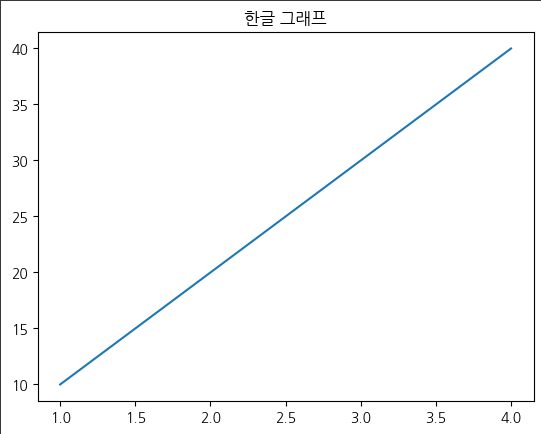
내가 자주 시켜먹는 가게의 배달의민족 리뷰를 크롤링하여 엑셀파일로 가져왔다.
import pandas as pd

df = pd.read_excel('배달의민족_알로하올라.xlsx')
df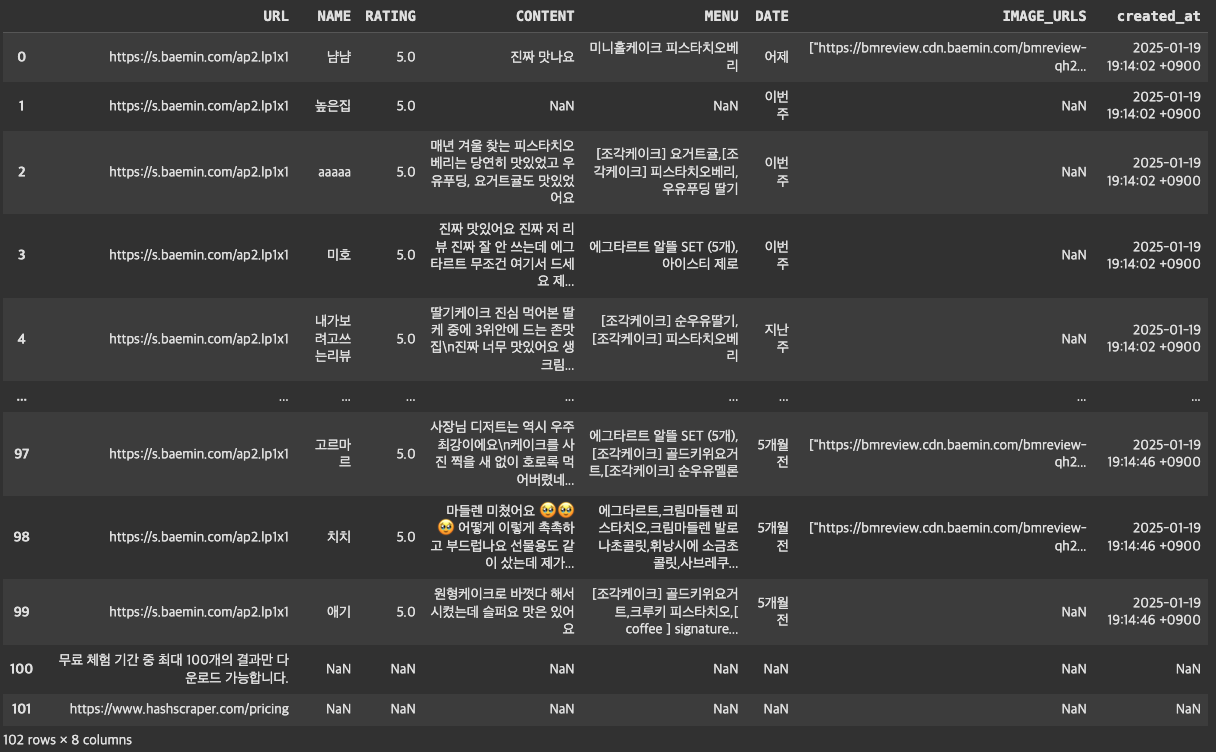
전처리
# 결측치 확인
print(df.isnull().sum())
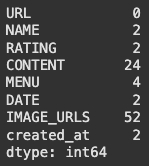
# 텍스트 마이닝 분석이므로 CONTENT가 없는 리뷰는 dropna
df = df.dropna(subset=['CONTENT'], axis=0)

# created_at : 크롤링해온 날짜이므로 삭제
df = df.drop(columns=['created_at'])
텍스트 벡터화
텍스트 백터화 : 컴퓨터가 텍스트를 이해할 수 있게 텍스트 데이터를 숫자로 변환
from sklearn.feature_extraction.text import CountVectorizer
import seaborn as sns
import matplotlib.pyplot as plt
import koreanize_matplotlib
import pandas as pd

# 1. CountVectorizer로 단어 빈도수 기반으로 변환
cvect = CountVectorizer()
X = cvect.fit_transform(df['CONTENT'])

# 문서-단어 행렬(DataFrame으로 변환)
dtm = pd.DataFrame(X.toarray(), columns=cvect.get_feature_names_out())

# 결과 확인 (기본 문서-단어 행렬 출력)
print("기본 문서-단어 행렬:")
print(dtm)
- ngram_range : 맥락을 이해할 수 있게 단어 묶기
- stop_words : 불용어
불용어(stop words)란 텍스트 데이터 처리 및 분석에서 중요하지 않거나 의미가 없다고 간주되어 제거하는 단어를 말함. 불용어는 분석 대상 문서의 맥락이나 목표에 따라 달라질 수 있음
# 2. 불용어 적용 및 n-gram 분석
stop_words = ['맛있게', '맛있어요', '먹었습니다', '잘먹었습니다', '너무', '정말', '진짜']
cvect = CountVectorizer(
    ngram_range=(2, 4),  # 2-gram ~ 4-gram
    min_df=2,           # 최소 2번 이상 등장
    max_df=0.8,         # 문서의 80% 이하에서 등장
    max_features=30,    # 상위 30개 단어
    stop_words=stop_words  # 불용어
)

# n-gram 행렬 생성
X_ngram = cvect.fit_transform(df['CONTENT'])
dtm_ngram = pd.DataFrame(X_ngram.toarray(), columns=cvect.get_feature_names_out())

# n-gram 결과 확인
print("\nn-gram 문서-단어 행렬:")
print(dtm_ngram)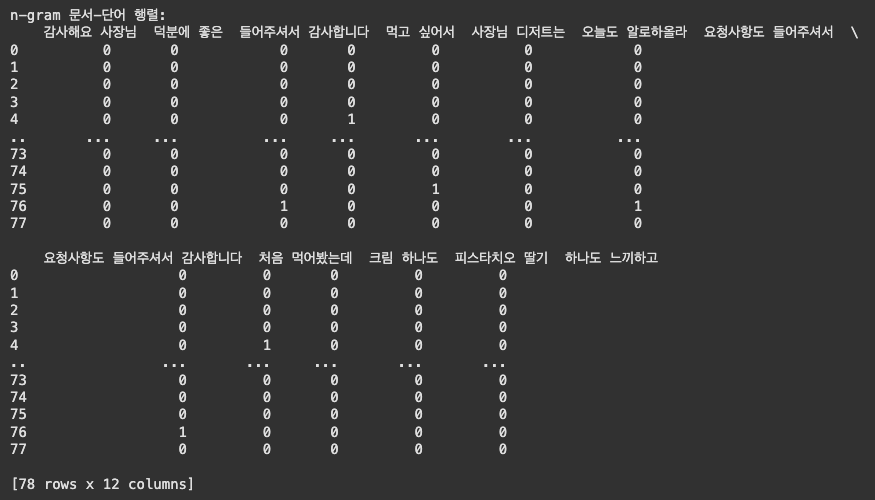
# 3. 시각화
# 각 단어(n-gram)의 빈도수 계산
term_frequencies = dtm_ngram.sum(axis=0)

# 데이터프레임으로 변환 (단어와 빈도수)
freq_df = pd.DataFrame({'단어': term_frequencies.index, '빈도수': term_frequencies.values})
freq_df = freq_df.sort_values(by='빈도수', ascending=False)

# 한글 그래프 설정
plt.figure(figsize=(12, 8))
sns.barplot(x=freq_df['빈도수'], y=freq_df['단어'])
plt.title("n-gram 단어 빈도수")
plt.xlabel("빈도수")
plt.ylabel("n-gram 단어")
plt.show()
리뷰쓴 사람들 중 재주문인 경우
import pandas as pd

df = pd.read_excel('배달의민족_알로하올라.xlsx')

# 닉네임별 주문 횟수 계산
name_counts = df['NAME'].value_counts().reset_index()
name_counts.columns = ['NAME', '주문_횟수']

# 데이터프레임 병합 (닉네임별 주문 횟수 추가)
df = pd.merge(df, name_counts, on='NAME', how='left')

# 재주문 여부 추가 (기준: 주문 횟수 > 1)
df['재주문'] = df['주문_횟수'] > 1

# 결과 확인
df[['NAME', '주문_횟수', '재주문']]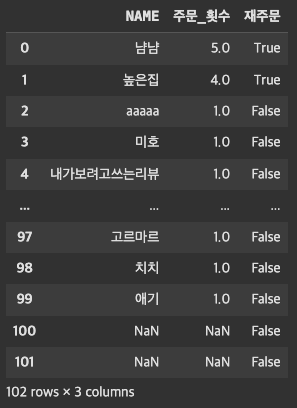
# 재주문 비율 계산
재주문_비율 = df['재주문'].mean()
print(f"재주문 비율: {재주문_비율:.2%}")

import seaborn as sns
import matplotlib.pyplot as plt

# 재주문 빈도수 시각화
sns.countplot(data=df, x='재주문')
plt.title('재주문 여부 분포')
plt.show()
리뷰 글자 수에 따른 평점 상관관계
import matplotlib.pyplot as plt
import seaborn as sns
import numpy as np

# 결측치 제거
df = df.dropna(subset=['RATING', 'CONTENT'])

# CONTENT의 길이 계산
df['CONTENT_LENGTH'] = df['CONTENT'].apply(lambda x: len(str(x)))

# 전체 평점 분포 시각화
plt.figure(figsize=(10, 6))
sns.histplot(df['RATING'], bins=np.arange(0, 6, 0.5), kde=True, color='skyblue')
plt.title('전체 평점 분포')
plt.xlabel('평점')
plt.ylabel('빈도수')
plt.show()

# CONTENT 길이에 따른 평점 상관관계 분석
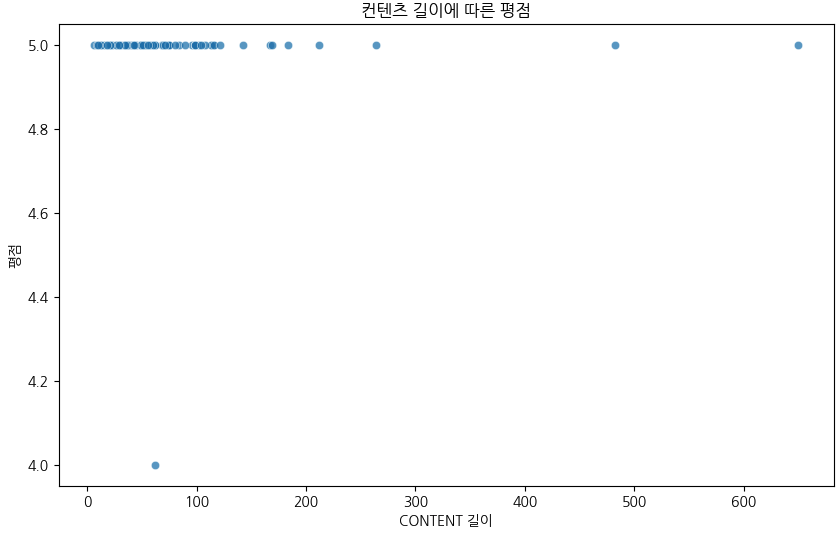
plt.figure(figsize=(10, 6))
sns.scatterplot(data=df, x='CONTENT_LENGTH', y='RATING', alpha=0.7)
plt.title('컨텐츠 길이에 따른 평점')
plt.xlabel('CONTENT 길이')
plt.ylabel('평점')
plt.show()

# CONTENT 길이와 평점 간의 상관계수 계산
correlation = df[['CONTENT_LENGTH', 'RATING']].corr().iloc[0, 1]
correlation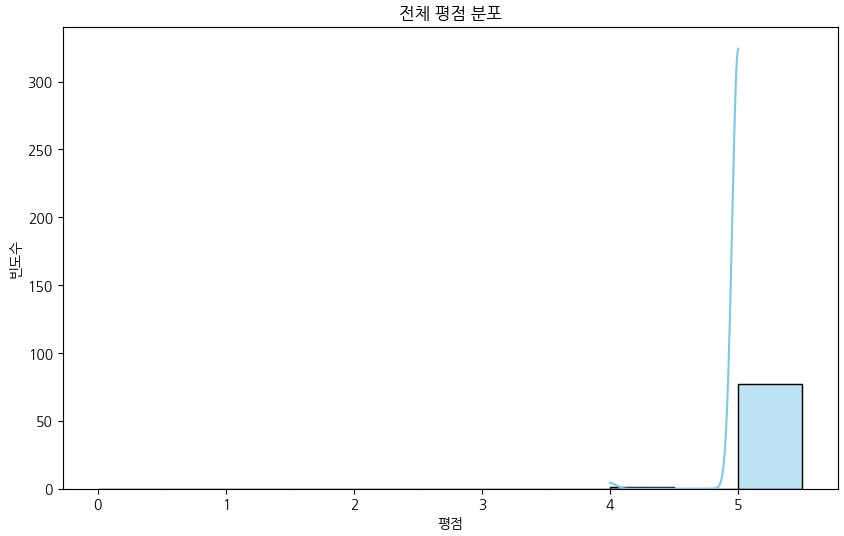
[4/6] 파이썬 고객 리뷰 분석: 배달앱 데이터로 배우는 텍스트 마이닝
파이썬 머신러닝 라이브러리인 scikit-learnd 중 CountVectorizer를 이용해서 리뷰 텍스트를 분석했습니다.
www.bongjunj.com
'공부해볼갱 > 데이터 배워볼갱' 카테고리의 다른 글
| [데이터 배워볼갱] 코멘토 청년취업사관학교 전Z전능 데이터 분석가 DAY22~27 (1) | 2025.02.04 |
|---|---|
| [데이터 배워볼갱] 코멘토 청년취업사관학교 전Z전능 데이터 분석가 DAY20 (1) | 2025.02.02 |
| [데이터 배워볼갱] 코멘토 청년취업사관학교 전Z전능 데이터 분석가 DAY19 (0) | 2025.01.20 |
| [데이터 배워볼갱] 코멘토 청년취업사관학교 전Z전능 데이터 분석가 DAY18 (2) | 2025.01.16 |
| [데이터 배워볼갱] 코멘토 청년취업사관학교 전Z전능 데이터 분석가 DAY17 (1) | 2025.01.15 |

